

Smart thermostats have changed the way people control their home comfort. If you plan an extended stay Bartlesville OK, you may encounter a Nest thermostat in your rental property. Knowing how to use it properly makes your stay far more comfortable.
Many short-term and extended rental properties now install Nest devices. These thermostats learn your preferences and adjust automatically. They also let you control temperature from your smartphone. Understanding the basics saves you time and frustration from day one.
This guide walks you through everything you need to know. You will learn how to set temperatures, create schedules, and use the Nest app. You will also learn how to use energy-saving features during your rental period.
Getting Started with Nest During Your Extended Stay Bartlesville OK
When you arrive at your rental, locate the Nest thermostat on the wall. It looks like a round, glass-faced device. The display shows the current temperature and your target temperature. A simple ring around the device controls most functions.
Turn the outer ring to raise or lower your target temperature. The display changes color as you adjust the setting. Orange means heating mode. Blue means cooling mode. Press the ring inward to confirm your selection and save the setting.
Most Nest models also respond to touch. You can swipe across the face to access different menus. Look for the main menu by pressing and holding the device. From there, you can access settings, schedules, and energy history.
Before you adjust anything, check with your property host or manager. Some rental owners set temperature limits to protect the property. Respecting those limits helps you maintain a good relationship with your host during your extended stay Bartlesville OK.
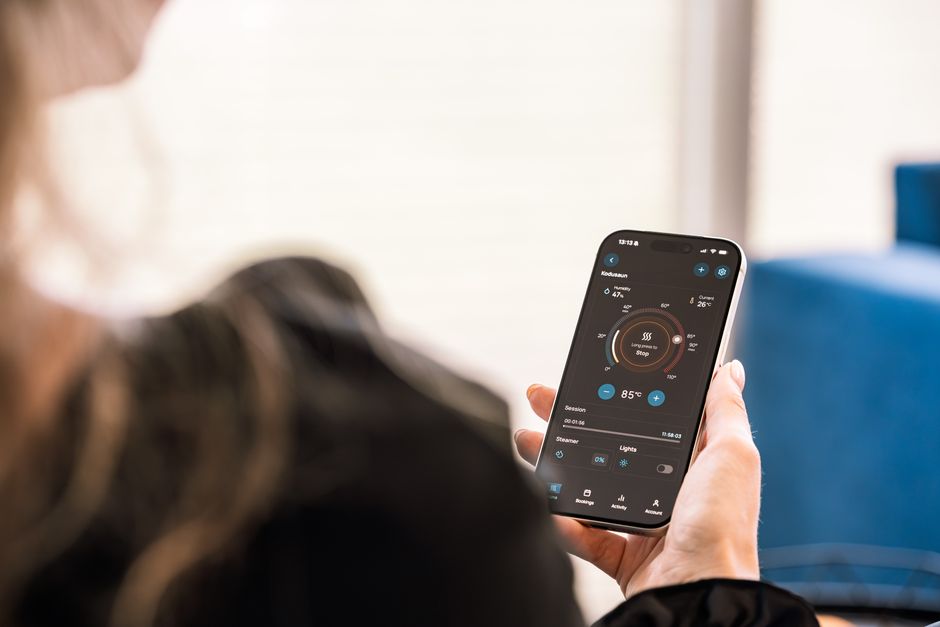
Download the Google Home app or the Nest app on your smartphone. Ask your host if they can add you as a temporary user. This access allows you to control the thermostat remotely. You can adjust temperature from your bed or from across town.
If your host does not add you as a user, you can still control everything directly from the device. Walk up to the thermostat and tap the display to wake it. The current temperature appears immediately. From there, you make adjustments using the ring or touch controls.
Guests at an extended stay Bartlesville OK property benefit most from setting a consistent daily schedule. The Nest thermostat learns patterns over time. After several days, it starts predicting when you want warmer or cooler temperatures. This automation makes your stay far more hands-off and comfortable.

Using the Nest Schedule Feature and Energy Tools
The schedule feature is one of the most powerful tools on a Nest thermostat. You access it through the device menu or the app. From there, you build a daily temperature plan that matches your routine. Set lower temperatures when you sleep and higher comfort levels when you are awake.
Tap the Schedule option in the main menu. You will see a weekly grid. Each day shows time blocks you can edit. Press on a time block to set your desired temperature for that period. Add or remove blocks as your schedule changes throughout the week.
Guests staying for a week or more should absolutely use the schedule feature. It removes the need to manually adjust the thermostat every day. Your rental property stays at your preferred temperature without constant intervention. This makes life easier during a long extended stay Bartlesville OK.
The Nest Home and Away feature also helps you save energy. The thermostat uses your phone’s location to detect when you leave the property. When you leave, it switches to an energy-saving temperature automatically. When you return, it adjusts back to your comfort setting before you walk through the door.
Enable this feature through the app settings. Tap your device, then go to Settings and find Home and Away Routines. Toggle it on and allow location access. This small step reduces energy use significantly during a long rental period.
If you want to find a property already equipped with a smart thermostat, browse the best extended stay in Bartlesville OK options available now. Smart amenities like Nest thermostats make longer stays more manageable and more comfortable overall.
The Nest Energy History tool shows you how much heating or cooling your property used each day. Access it through the app by tapping on your device and selecting Energy. You see a bar chart broken down by hour and day. This helps you understand your usage patterns and find ways to reduce consumption.
During an extended stay Bartlesville OK, energy awareness matters. Oklahoma weather changes quickly between seasons. You may need to heat the property in the morning and cool it in the afternoon. Monitoring energy history helps you fine-tune your schedule for maximum comfort and efficiency.
Troubleshooting Common Nest Issues in a Rental Property
Sometimes the Nest thermostat displays an error or goes offline. The most common cause is a Wi-Fi connection problem. Check your rental property’s internet connection first. If the Wi-Fi works fine, try restarting the Nest by pressing and holding the display for ten seconds.
If the display shows a blinking green light, the device updates its software. Wait a few minutes and do not interrupt the process. The thermostat restarts automatically after the update finishes. Your previous temperature settings remain saved after the restart completes.
A low battery warning may appear on some Nest models. Most Nest thermostats charge through the HVAC system’s wiring. If the battery drains, the heating or cooling system may not respond correctly. Contact your property host immediately if you see a low battery message during your extended stay Bartlesville OK.
If the HVAC system runs but the temperature does not change, check the air vents. Make sure all vents in the rental property stay open and unblocked. Blocked vents reduce airflow and prevent the system from reaching your target temperature. Clear any furniture or items blocking the vents throughout the space.
Sometimes guests accidentally switch the thermostat to Fan Only mode. In this mode, the fan runs but the system does not heat or cool the air. Check the mode setting through the main menu. Switch it back to Heat, Cool, or Auto to restore full climate control functionality.
Guests on an extended stay Bartlesville OK can handle most minor issues independently. However, always contact your host for anything related to the actual HVAC equipment. Never open the thermostat unit or tamper with the wiring. Report problems promptly so your host can resolve them quickly and professionally.
A Nest thermostat gives you more control over your comfort than a traditional thermostat. Learning to use it properly takes only a few minutes. Once you master the basics, your extended stay Bartlesville OK becomes more comfortable, more efficient, and far more enjoyable from start to finish.
